I'm a wife, stay-at-home mom, crafter, and blogger living in rural New England. As seen in Martha Stewart Living, Food Network Magazine, and more! | Tutorials, DIY, crafts, parenting tips, recipes, money saving tips, product reviews, local product features, New England living, intentional living, and more! |
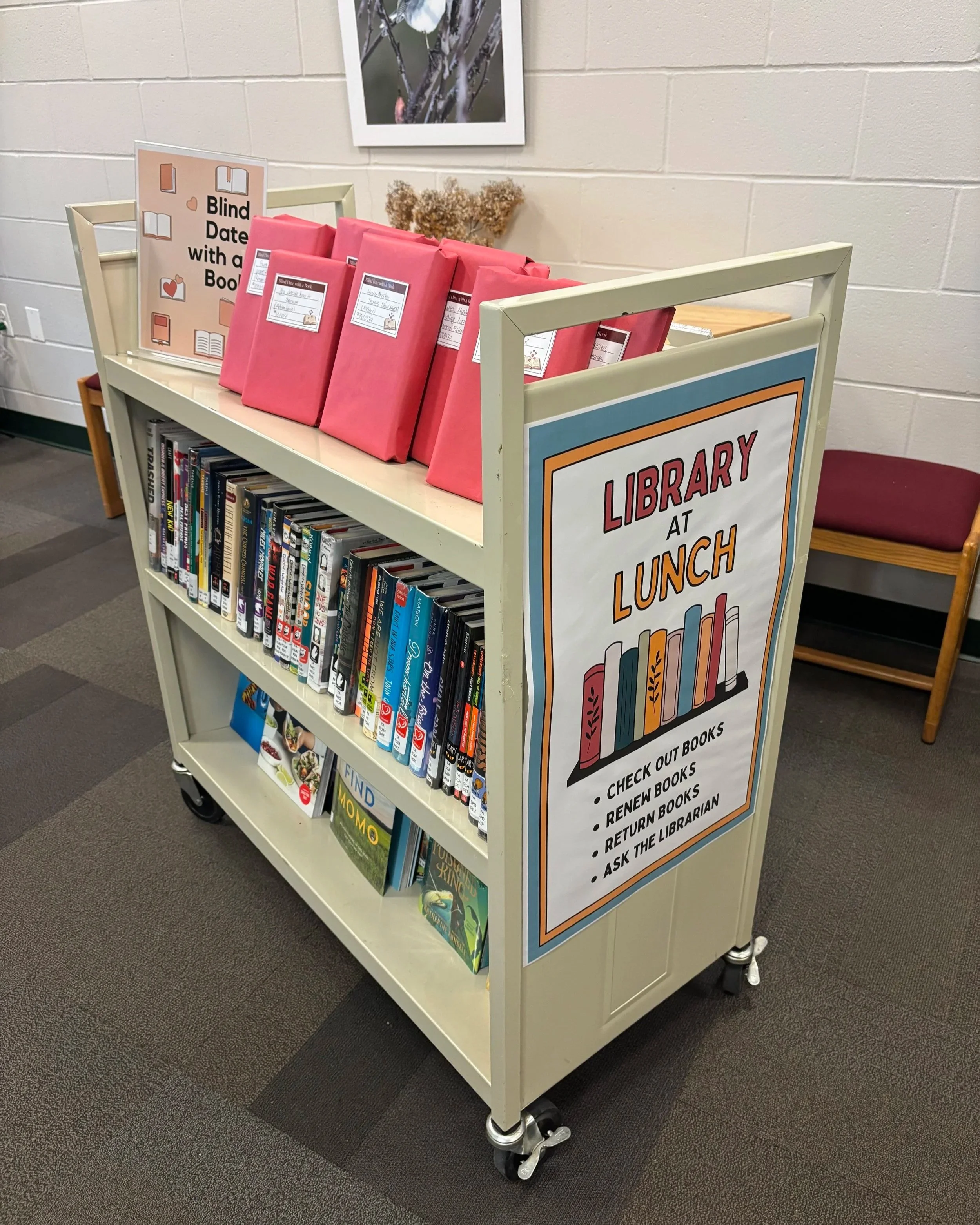
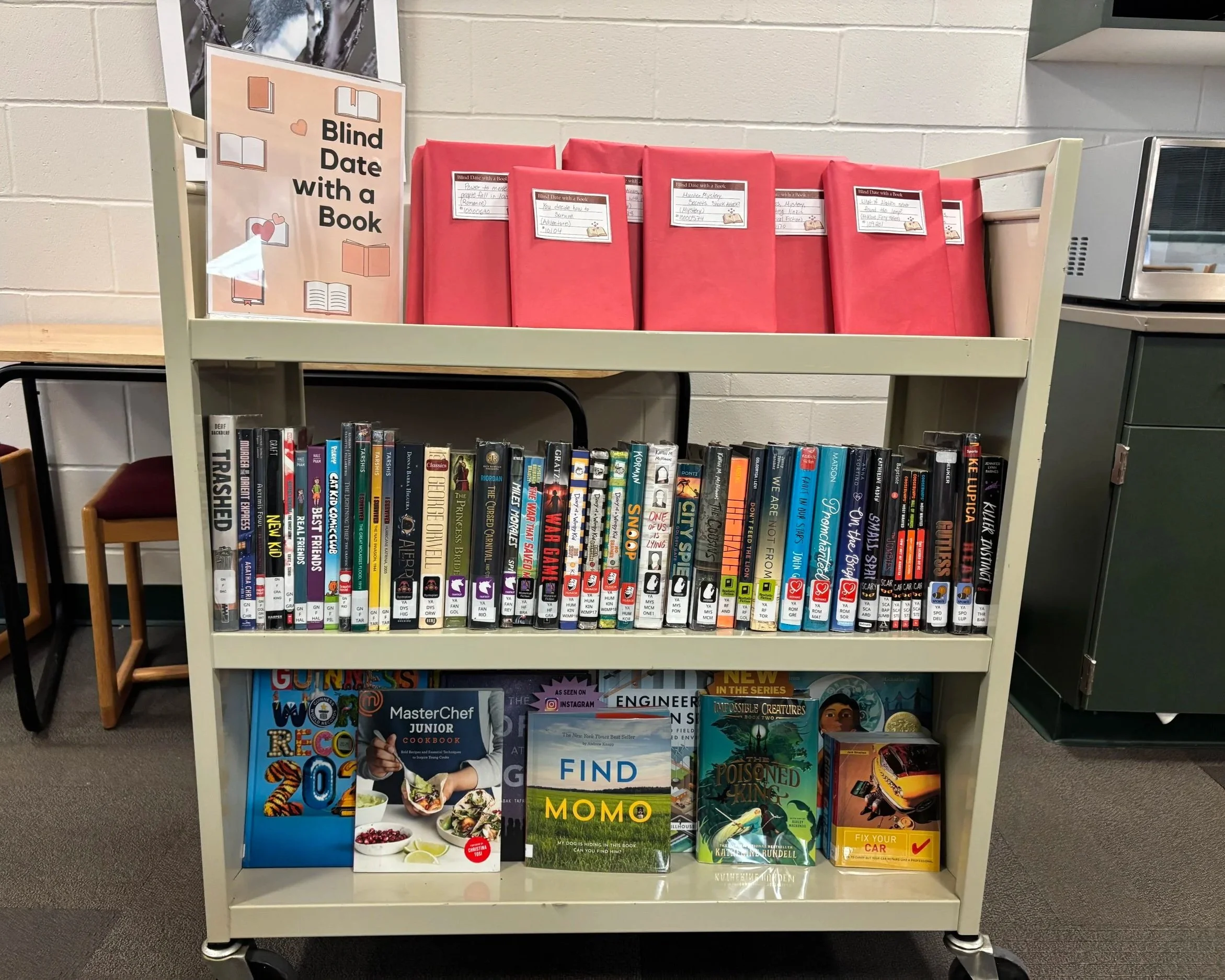
Having worked in a 7-12 public school library for a few years we’ve been brainstorming and implementing some Passive Programming ideas to make the library a welcoming and fun place. We hope this encourages students to come check out the library and stay for a bit, even if they don’t get book - though we hope of course this leads to them checking out our books while they’re here! Passive programming is programming that you can “set and forget” and takes little or minimal supervision and instruction. | This post contains affiliate links |
Passive Programming Ideas for School Libraries
In our library we have a designated table with a few chairs around it for Passive Programming and rotate these ideas periodically. Most of these ideas are for older grades but I’ve also thrown in some ideas for younger grades as well. These would also work for public libraries and private school libraries as well:
I’ve been working part-time at a school for a few years now. One of my daily tasks (that I love) has been finding a new Live Stream to run in the background on a large Promethean Board in the Library everyday. It’s a lot of fun finding new streams or going back to old favorites - sometimes they have to do with timely current events (like a NASA launch), other times it’s a nature-related live stream, and other times it’s a peek into a different part of the world and their culture. We always mute the streams so they’re not disruptive and just add a fun element running in the background. Here I thought I’d share some favorites and I’ll be sure to add to the list periodically.
DISCLAIMER: Please use your best judgement and double check links before showing. At the time of writing this post, these links point to the topics described but there’s always a chance the streams/channels may change in the future. Also while all of these streams would likely be considered “school safe” for most grades/age groups, they are LIVE and therefore there’s always the chance of something unexpected happening on them. Stream at your own risk.
Nature
Bird Feeder in Gettysburg, PA - I particularly like this one because it's pretty active and often you see deer in the field in the background too.
South Africa Bird Feeder/Wildlife Cam - This stream has some very exotic birds and when it turns to night there (afternoon our local time), they switch the foods over to attract fruit bats. Very cool channel to watch!
SpaceX Launches - I'm linking to the general SpaceX channel here, since new live stream videos will be made as new things are launched. SpaceX launches happen pretty frequently, and they're always exciting and interesting.
NASA Launches - Linking to the general NASA channel here. NASA Launches happen less often than SpaceX ones but are still fun to see.
Rotating New England Live Streams - we enjoy this stream because it rotates amongst many locations around New England. We often put this stream on when bad or snowy weather is coming in (we're local to New England) to see how the weather is in other areas and how much snow they're getting. (Many of the videos featured have their own stand-alone streaming channels too and you can look them up individually if you choose to.)
Mount Washington, NH Live Stream - Mt. Washington is known as "Home of the World's Worst Weather" and can be an interesting channel to live stream.
Sydney Harbor, Australia Live Cam - since it's on the other side of the world it's usually dark/night when we're at school, but you can still see the lights and boats.
Boston Marathon - no link for this one because coverage changes every year. But when "Marathon Monday" (which is the 3rd Monday in April) rolls around every year we put on some kind of live stream or news coverage of the Marathon.
Everest Base Camp - I can't find the link for it now, but last spring we were able to watch a live stream of Everest Base Camp.
Current Events
I won’t link anything here because these are often temporary or one-time events… but here are some general ideas of things we have streamed or could stream for current events:
Weather coverage of a current weather event somewhere in the US - like an incoming nor’easter snowstorm or hurricane
Presidential election coverage or inauguration
Local election coverage
Royal wedding or coronation abroad
9/11 or Pearl Harbor remembrance ceremony
Olympics coverage
SpaceX or NASA Launch
News conference regarding a science discovery
Baby watch of an animal about to give birth (like a giraffe at the zoo)
Livestream of a local event
DISCLAIMER: Please use your best judgement and double check links before showing. At the time of writing this post, these links point to the topics described but there’s always a chance the streams/channels may change in the future. Also while all of these streams would likely be considered “school safe” for most grades/age groups, they are LIVE and therefore there’s always the chance of something unexpected happening on them. Stream at your own risk.
If you have kids you know how tricky it can be to keep track of library books in your home… you bring them home, read them on the couch, and then before you know it they’re mixed in with your own books and quickly forgotten… until you get that late notice from the library (ooops). The best way to keep track of them is to have a designated place to keep them - for us we made a special library tote that has served us well. We use it to bring home books from the library, and as we read them we make sure to return them to the tote so they’re never misplaced. I’ll show you exactly how I made ours, along with two free printables so you can make your own! | This post contains affiliate links |
1. First, run your canvas tote bag through the washer and dryer - you need to make sure it’s clean and there’s no more sizing on it from manufacturing which might keep the iron-on transfer from adhering well.
2. Print out your design on the transfer paper. (Please note that the designs I have available for download are ready-to-print PDFs for printing on iron-on transfers, therefore they are already in mirror image - aka backwards.) *You can find links to download our designs at the end of this post - there are two different designs to choose from!*
3. Cut out the iron-on transfer design, leaving a border around the edge of the design to help ensure the design will adhere well to the fabric and not lift at the edges.
4. Make sure to read the instructions for your particular brand of iron-on transfers as these next steps may vary slightly from brand to brand. For the transfers we used, the next step is to heat up the iron then pre-iron the bag to get rid of wrinkles and preheat the fabric for the transfer. Our directions recommend working on a hard surface with a piece of scrap fabric underneath.
5. Carefully place your design face down on the bag and iron it on using a LOT of pressure. I actually stand on a chair to put my full body weight down on it too. You want to iron over the whole design, paying particular attention to the edges to make sure it really adheres well.
6. After going over your design like a thousand times (an exaggeration, but make sure you go over it a lot to adhere it well). Let it cool completely before carefully pulling the paper backing off and you’re done. Time to go to the library!
Download FREE Printables for Iron-On Transfer Here:
Explore Books Logo (prints to approximately 4”x5”)
*Please note that the downloaded PDF files will have the logos in MIRROR IMAGE (aka backwards), since it needs to be printed in reverse on the iron-on transfers.
Want to make a Custom Design?
I made the designs for these library tote logos by using design files from my husband's Creative Market Shop. If you want to edit these designs or make your own, you can purchase the files from Creative Market and personalize them yourself!
Our little one made this Paper Pizza at story time at the public library the other day and I thought it was so cute I wanted to show you all. The story time lady read several pizza-related stories and then had the kids make their own paper pizzas to bring home. The kids really enjoyed this project and I think it would make a great activity for a pizza-themed kids' party.
They gave the kids paper plates and a brown crayon to color the "crust" (our daughter skipped this part), then a paper red circle "tomato sauce" to glue down, shredded yellow paper "cheese", as well as paper mushrooms, pepperonis, and meatballs. After the pizzas were done, the kids took them home in actual pizza boxes which was the perfect finishing touch to the project. These brand new boxes had been bought ahead of time at the local pizza shop for a few cents each.
I don't remember the actual books she read before the project, but I've linked some cute-looking pizza stories here (affiliate links):